
2.9 KiB
KumOS
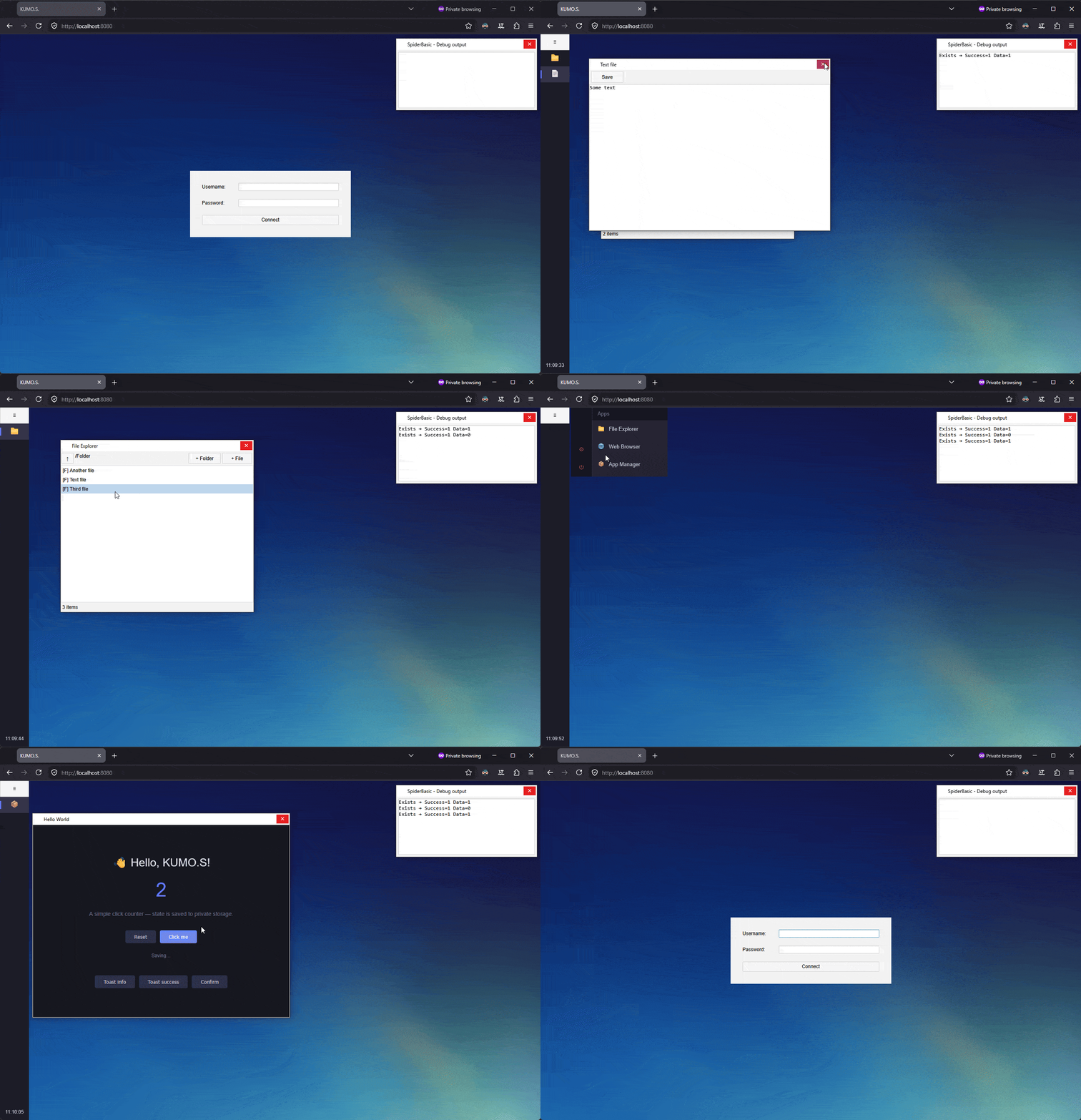
A browser-based desktop operating system. Login, windows, taskbar, files, apps — all running in your browser.
Built as a learning project around an intentionally unconventional stack: a PureBasic / FastCGI / SQLite backend, with a SpiderBasic frontend that compiles to plain JavaScript and HTML5.
Features
- Multi-user authentication (salted SHA-256, session cookies)
- Virtual filesystem with SQLite metadata and on-disk blobs, plus per-user home directories and a shared space
- Window manager with taskbar, start menu, and notifications
- Built-in apps: File Explorer, Text Editor, Settings, Web Browser, App Manager
- Third-party app platform with sandboxed iframes, manifest-based permissions, and JS + SpiderBasic SDKs
- Client-side IndexedDB cache with dirty tracking and background sync
Stack
- Server — PureBasic 6.30, FastCGI, SQLite
- Client — SpiderBasic 3.20 (compiles to JS/HTML5)
- Dev environment — Podman + nginx, or the built-in
WebServer.pbifor debug builds
Layout
Server/
  Main.pb                Entry point
  Includes/              Auth, Database, FileSystem, AppStore, Router
  Libraries/             FastCGI, WebServer (debug only)
Client/
  Main.sb                Entry point
  Includes/              Desktop, Login, FS, FileCache, AppRuntime, Notify
  Default Apps/          FileExplorer, TextEditor, Settings, WebBrowser, AppManager
  Libraries/             IDB
  kumos.js               Third-party app SDK
Building
Server. Open Server/KUMOS Server.pbp in PureBasic, build and run. The first launch creates kumos.db, the blobs/ and apps/ directories, and a default admin / admin account — change the password immediately. The FastCGI listener defaults to port 9683.
Client. Open Client/KUMOS.sbp in SpiderBasic and build. Output goes to Server/www/.
Debug. A debug build of the server also starts an HTTP server on port 8080 that proxies /api/* to FastCGI and serves www/ directly — no nginx needed. Visit http://localhost:8080/.
Production. Run nginx (or any web server) in front, serving www/ statically and forwarding /api/* to 127.0.0.1:9683 over FastCGI.
Third-party apps
Apps are zip bundles containing a manifest.json and an entry HTML. Install via the App Manager UI, or POST a URL to /api/apps/install. Apps run in iframes without allow-same-origin, communicate with the shell via postMessage, and use the kumos.js SDK for storage, filesystem, and notifications. Permissions are declared in the manifest and enforced by the runtime.
A minimal manifest:
{
  "id": "com.example.helloworld",
  "name": "Hello World",
  "version": "1.0",
  "icon": "👋",
  "entry": "index.html",
  "permissions": ["notify", "fs.write"]
}
Status
Hobby project — fun, not production. Expect rough edges.